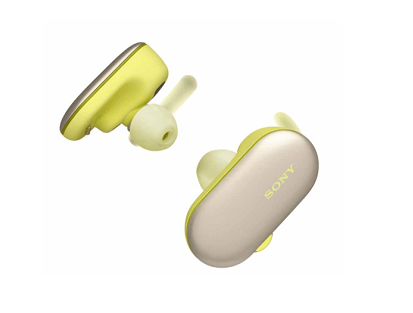
Sony WF-SP900
装运和交付
如果您在18:00之前购买产品,产品将在当天发货。(不含周日)。
产品由国际快递公司紧急发送,最多72小时您的产品就会送到您家。
产品说明
Wireless headphones - Sony WF-SP900, Bluetooth, 4 GB, NFC, Up to 12 hours, Yellow
With the Sony WF-SP900 wireless headphones in yellow you will have cordless headphones ideal for sports. With Bluetooth and waterproof, even from the sea. In addition, you do not need the mobile to listen to music, since it has internal storage (4 GB).
Bluetooth technology playback
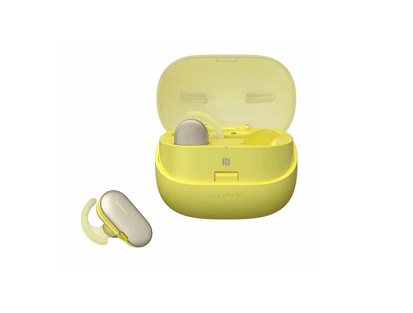
Manual connection via Bluetooth technology or with a touch on the case with NFC. With a full charge, the headphones allow you to play 3 hours of music via Bluetooth connection. The transport case has three other full loads, which offers a total of up to 12 hours of playback.
Store your music in 4 GB
Not only will it automatically detect activity without the mobile phone. These headphones also have an internal storage of 4 GB so you can save the songs you want. This allows you to leave your smartphone at home or use it for other functions and not spend more battery than necessary. In addition, you can activate the ambient sound mode and thus be able to listen to your surroundings without stopping the music. You will exercise with total security.
Adjust them perfectly
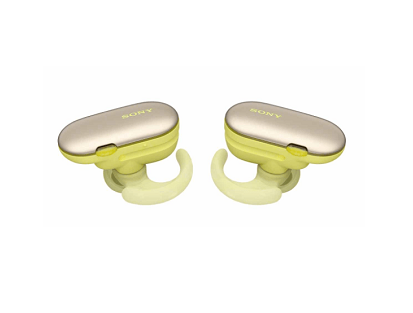
In case you want to use them while swimming, use the swimming caps. Put them on before getting into the water to get a sealed fit. In case of dust, the WF-SP900 headphones feature a rugged IP6X design and are ready for everything. In addition, the arch-shaped brackets keep the headphones in place. As for the depth, they can be perfectly adjusted to each ear.
Touch operation and voice assistant
Double tap the left side of the headphones to decrease the volume and twice the right side to increase the volume. Press the left button once to activate or deactivate the ambient sound mode or twice to activate or deactivate the quick sound setting. With the right button you can play and pause, move on to the next song, go back, answer calls, activate the voice assistant by holding it down and much more. And if you need a voice assistant, start the Google application or activate Siri by pressing and holding a button on the headphones. Enjoy your Sony WF-SP900 wireless headphones and everything they can offer you.
With the Sony WF-SP900 wireless headphones in yellow you will have cordless headphones ideal for sports. With Bluetooth and waterproof, even from the sea. In addition, you do not need the mobile to listen to music, since it has internal storage (4 GB).
Bluetooth technology playback
Manual connection via Bluetooth technology or with a touch on the case with NFC. With a full charge, the headphones allow you to play 3 hours of music via Bluetooth connection. The transport case has three other full loads, which offers a total of up to 12 hours of playback.
Store your music in 4 GB
Not only will it automatically detect activity without the mobile phone. These headphones also have an internal storage of 4 GB so you can save the songs you want. This allows you to leave your smartphone at home or use it for other functions and not spend more battery than necessary. In addition, you can activate the ambient sound mode and thus be able to listen to your surroundings without stopping the music. You will exercise with total security.
Adjust them perfectly
In case you want to use them while swimming, use the swimming caps. Put them on before getting into the water to get a sealed fit. In case of dust, the WF-SP900 headphones feature a rugged IP6X design and are ready for everything. In addition, the arch-shaped brackets keep the headphones in place. As for the depth, they can be perfectly adjusted to each ear.
Touch operation and voice assistant
Double tap the left side of the headphones to decrease the volume and twice the right side to increase the volume. Press the left button once to activate or deactivate the ambient sound mode or twice to activate or deactivate the quick sound setting. With the right button you can play and pause, move on to the next song, go back, answer calls, activate the voice assistant by holding it down and much more. And if you need a voice assistant, start the Google application or activate Siri by pressing and holding a button on the headphones. Enjoy your Sony WF-SP900 wireless headphones and everything they can offer you.
Sony WF-SP900